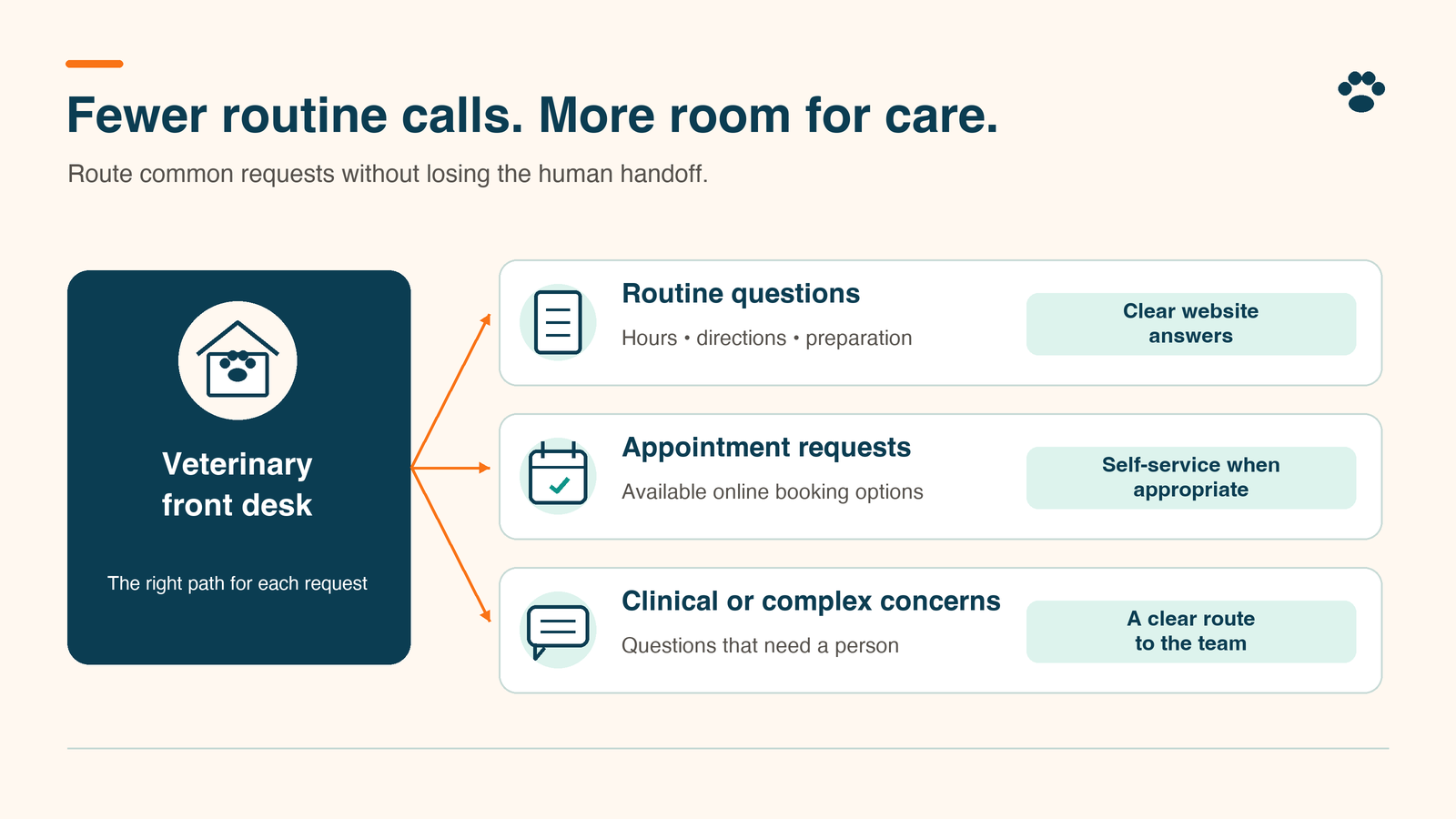
The fastest way to reduce veterinary phone calls is to stop causing the repeat ones. A front desk fields appointment requests, refill updates, records questions, and the same unanswered message for the third time, and those calls need different fixes. Sending everyone to an app before you know why they called moves the problem to a new channel.
To reduce veterinary phone calls, separate necessary conversations from avoidable repeat work. Audit call reasons, give routine requests a clear route, assign an owner to each queue, and check whether the request gets resolved. Keep urgent access and human help visible throughout.
At TailWerks, we treat call reduction as a client-service problem before a software decision. Start with three priorities:
- Protect urgent and complex conversations.
- Remove uncertainty around routine requests and follow-up.
- Measure resolved needs across every channel, with call volume as one input among several.
Separate necessary calls from avoidable work
Start with a week of call reasons. Average call duration can wait; a short call about an unanswered refill request may reveal more preventable work than a long conversation helping a new pet owner.
Separate first contacts from repeats about the same unresolved need. Keep wrong numbers, supplier calls, and spam outside the client-service analysis. Include missed calls when their reason becomes known through follow-up, and mark unknown reasons as unknown.
Look for competing explanations. A surge in appointment inquiries might reflect new demand, limited availability, confusing service information, or an unclear booking process. Calls asking when results will arrive might point to an expectation or handoff problem. Do not assume the website is broken because the phone is busy.
If the audit exposes a real gap in phone capability, our veterinary phone-system article covers system selection. This workflow comes first.
How can you reduce veterinary phone calls with a repeat-contact audit?
Create a shared worksheet with one row per contact during a normal operating week. Give each underlying request a case reference, then use that reference for later calls, texts, or emails about the same need. Keep identifying and clinical details in the approved practice system, and keep the worksheet itself free of them.
Use these worksheet columns:
| Field | What the team records |
|---|---|
| Contact | Date, time, channel, answered or missed, and case reference |
| Reason | Appointment, change or cancellation, refill, records, results or follow-up, billing, directions or hours, other, or unknown |
| Contact history | First contact or repeat; previous channel and date when known |
| Friction | Missing information, unclear status, delayed response, access trouble, unavailable appointment, or no avoidable friction identified |
| Ownership | Responsible role, next action, and promised response time |
| Outcome | Resolved, awaiting staff action, awaiting client action, booked, or closed without booking |
Agree on definitions before starting. Count a repeat when someone contacts the clinic again about the same unresolved request, even through another channel. A separate concern about the same pet is a new row.
At each shift handoff, reconcile open rows with the practice system. At week’s end, group contacts by reason and friction, then pick one recurring problem to address. This is a workflow audit, not a receptionist speed contest.
Give routine requests a clear self-service route
Offer an optional route where the task is clear and the team can support it. Do not move a request to a channel nobody owns.
Turn the audit into a routing map. For each call reason, record the entry channel, responsible role, response window, completion signal, and human fallback, then have the front desk test each rule before clients use it.
Example row:
| Call reason | Entry channel | Owner | Response window | Completion signal | Human fallback |
|---|---|---|---|---|---|
| Refill request | Website form or app | Pharmacy technician on shift | Decision by end of next business day | Text to the client: approved and ready for pickup, or declined with the reason and next step | Main line during open hours; the form confirmation says to call for anything urgent |
For directions, hours, parking, and records-request instructions, publish current answers where clients already look. For refill requests, explain how to submit the request, how the team communicates status, and which questions require staff review. A submitted request must never read as approval.
For routine appointments, make the difference between requesting and confirming unmistakable. Digitail’s Pet Parent App instructions describe two notifications: one when the request is sent, another when the clinic accepts it, with the request shown as Pending Confirmation in between. Digitail’s clinic preferences also include a setting that auto-approves online requests, which turns a request into a booking with no staff review. Whatever system you use, find out which of those two modes you are in and test what the pet owner sees.
Where your Google Business Profile offers booking links, follow Google’s business links policy. It requires a dedicated landing page for your business (a location-specific page for multi-location practices) and a destination where the customer can complete the designated action. Social profiles, messaging links, app store links, and link shorteners are ruled out. Check the destination yourself, including the correct clinic location.
Scheduling options get a full comparison in our veterinary online-booking article. For the routing map, one question is enough: can a pet owner finish the intended task and understand what happens next?
How do you keep urgent and complex questions reachable?
Keep a clear phone route alongside routine digital options. Have the clinical lead approve urgent-contact and after-hours instructions, including the destination and the fallback when the clinic cannot respond.
Do not ask an unmonitored form or app inbox to act as the urgent route. State monitoring hours and response expectations at the point of submission as well as on the policy page. Avoid language suggesting immediate review unless the practice provides it.
Keep human help available for unclear questions, upset clients, accessibility needs, and people who cannot use the digital option. Staff needs a way to move a conversation out of automation without making the client start again.
Test these routes before launch with staff-approved scenarios. Check opening hours, closed hours, failed transfers, and unavailable staff. Confirm who receives each handoff and who notices a failure. Pass means the client reached the intended help; a sent message proves nothing on its own.
Use reminders and messages to close the loop
Give every request an owner, a status, and a next update. An acknowledgment tells the client you received the request; the work is still open.
For each routine channel, document who checks it, who covers breaks, where the task is recorded, and when an overdue item escalates. Publish response windows the team can maintain. If a promised time will slip, send an update before the client has to chase it.
Before changing reminder settings, run a test appointment through confirmation, rescheduling, cancellation, and staff review. Check for contradictory messages and tasks left open after completion. Ask the team where they still copy information by hand.
Our client-communication software comparison helps evaluate tools once the missing workflow is clear. A feature list cannot decide who answers the inbox.
How will you know whether fewer calls mean better service?
Compare the same operating days before and after one change. Record staffing, closures, and appointment availability so a quieter week does not masquerade as an improvement.
Count phone contacts, total contacts across channels, unresolved requests, overdue promises, and repeat contacts about the same need. Calculate repeat-contact share by dividing repeat contacts by all contacts in the audited client-service group, and keep the group definition consistent.
Watch completed bookings and unresolved appointment requests alongside call volume. Review urgent-route failures one at a time; averaged into a service score, they disappear.
If calls fall while texts, repeat contacts, or overdue tasks rise, investigate before expanding the change. Check the oldest open requests with the front desk. Count the whole conversation, every channel included.
Our Take
The right target is fewer unnecessary contacts per resolved need. A phone conversation that gives an anxious pet owner a clear next step is valuable work. A third call asking whether anyone received a form is a different problem, and the one worth removing.
At TailWerks, we would fix one repeated uncertainty before adding another channel. Choose the reason your audit exposes, assign ownership, test the handoff, and compare outcomes. Buy software when the existing tools cannot support that workflow. A call-reduction promise on a sales page is a reason to run the audit, nothing more.
Frequently Asked Questions
Should a veterinary clinic require an app for routine requests?
Keep an alternative for clients who cannot or prefer not to use the app. Test whether app users complete requests without needing phone support before expanding its role.
Is online booking always the first fix?
No. Start with the call-reason audit. If repeated contacts concern records or unanswered follow-up, changing scheduling will not address that work. Investigate appointment access separately when booking inquiries dominate.
Does an automatic reply count as resolving a request?
No. Treat it as acknowledgment. Close the request only when the responsible team completes the task or clearly communicates the decision and next step.
What should we do when call volume drops but complaints rise?
Review unresolved needs, repeat contacts, overdue replies, and failed handoffs. Pause or reverse the routing change if access deteriorates. A lower call total on its own proves nothing about service.
Find the next fix for your front desk
To reduce veterinary phone calls without losing access, bring your call-reason audit and current contact paths and schedule a Search-to-Schedule Audit with TailWerks. We will look at routine friction, booking clarity, and follow-up ownership, and name the workflow that needs attention before you add another tool.