A review lands while the front desk is checking in a nervous dog, answering the phone, and explaining an estimate. Someone sees the alert. Nobody knows who owns the reply. By Friday, the public response is still missing, and the underlying complaint has disappeared into a message thread.
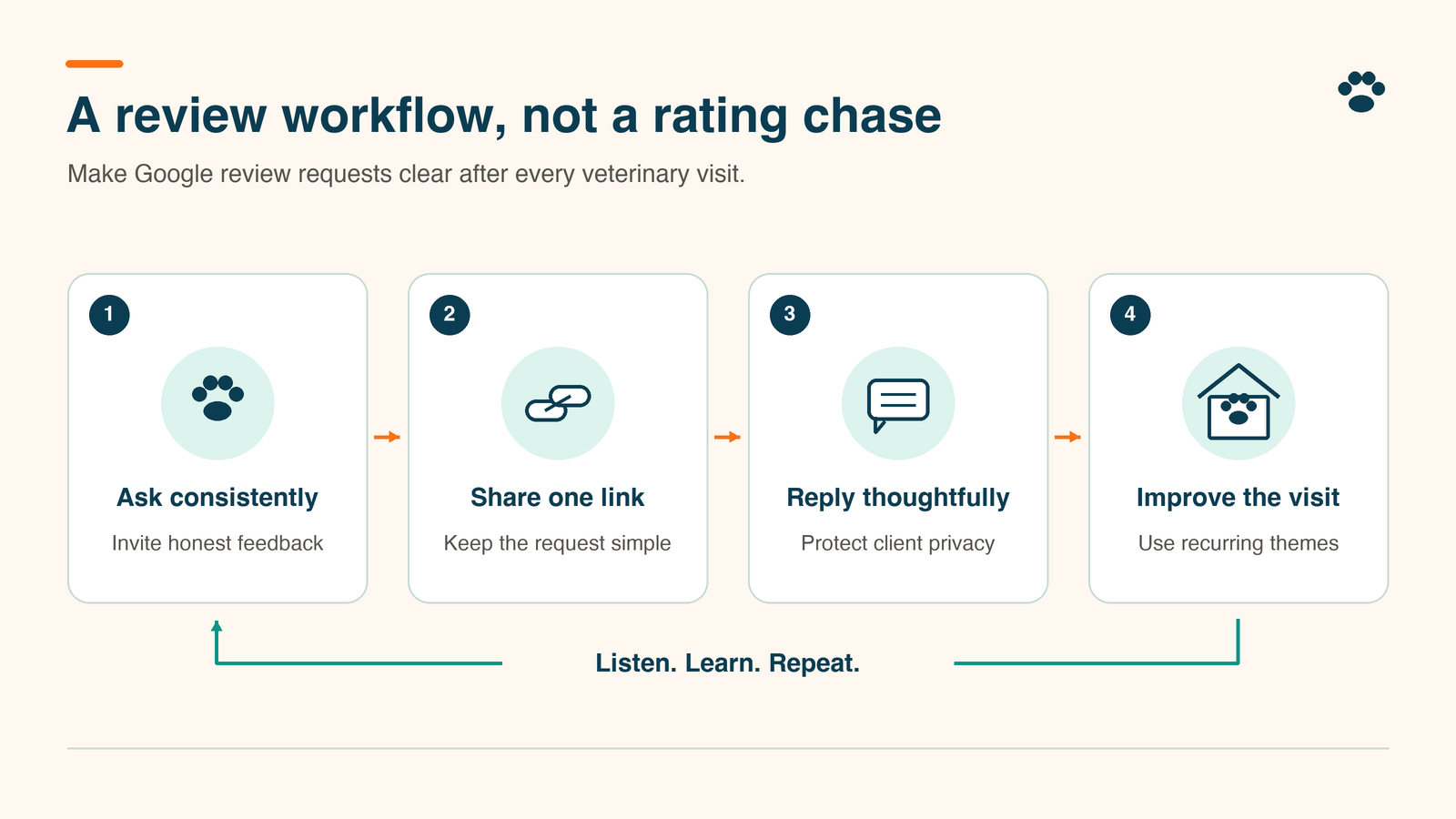
A veterinary Google review workflow needs one accountable inbox owner, a backup, clear escalation rules, and separate tracking for public replies and private follow-up. Start there before buying another dashboard. At TailWerks, we treat review handling as one step on the path from search to a booked appointment. The thank-you count is a side effect; the callback is the work.
Build the process around three decisions:
- Who notices and assigns each review?
- Who can approve the response without exposing private details?
- Who owns the issue after the response goes live?
Give the veterinary Google review workflow one owner
Assign the practice manager as process owner and name a daily inbox operator plus a backup. One person can hold both roles in a small clinic. The important part is that coverage survives a day off.
List every clinic location, its Google Business Profile, the staff member checking it, and the person authorized to publish. Google requires a verified Business Profile before you can reply, and the same help page walks through reading and replying inside the profile.
Use a shared work queue instead of forwarding alerts to several personal inboxes. Set a morning and afternoon review check as your starting routine; Google sets no such requirement, so adjust it to your volume. Record the review link, location, discovery time, assigned owner, next action, and due time. Give the backup explicit responsibility when the primary operator is absent.
Keep detailed complaint records in the clinic’s approved restricted system. A broad-access marketing spreadsheet needs the task status and nothing from the patient history.
Escalate sensitive reviews before replying
Route by content. Star rating is a poor guide: a positive review can contain sensitive information, and a negative review may describe a simple parking problem.
Use three lanes:
- Routine feedback: General praise, parking or non-sensitive service comments. The trained inbox operator can draft and publish within agreed boundaries.
- Service recovery: Missed callbacks, confusing estimates or scheduling disputes. Assign a manager to investigate privately and approve the public wording.
- Sensitive concerns: Treatment allegations, patient information, threats or serious staff accusations. Pause automatic replies and route to the designated practice leader through the clinic’s established escalation process. Marketing staff does not assess the merits.
Set a next-action deadline for each lane. Aim to classify new reviews during the next staffed check, with sensitive concerns escalated when discovered. Name after-hours coverage or document when monitoring resumes, and never present reviews as an urgent-care contact channel.
If a review may violate policy, preserve the link and relevant evidence, then use Google’s reporting process. Google’s own instruction is to report only policy violations; it does not get involved in disputes between a business and a customer, and disagreeing with a review is no grounds for removal. Track the reporting decision separately from the service issue.
How do you reply without exposing private details?
Acknowledge the concern, keep the reply brief, and give the reviewer a real private contact path. Do not litigate the appointment in public. Google’s reply tips say the same: never share a reviewer’s private information, and when a situation is complex, ask them to contact you by phone or email.
For a general positive review, a short response can thank the person for taking the time to share feedback. Do not add details from the record to make the reply sound personal.
For a complaint, start from a structure like this and adapt it every time:
Example reply:
Thank you for raising this concern. We take communication seriously and would welcome a private conversation. Please call the clinic and ask for our practice manager.
Use that invitation only if the manager and phone team are ready to receive it. Adjust the acknowledgment to the specific feedback without confirming treatment, billing details, appointment dates or a client relationship. Do not repeat sensitive details because the reviewer included them first.
Before publishing, check that the response:
- Contains no record-derived facts, contact details, or screenshots belonging to the reviewer.
- Makes no unsupported claim about what happened or what staff promised.
- Offers a contact route that reaches the assigned owner.
- Has the required approval for its escalation lane.
These are communication controls. The practice’s confidentiality policy still governs what can be said at all.
What software has to do before you pay for it
It has to make ownership, approval, and unresolved work visible. Start with Google Business Profile plus your approved task system if that covers the workload. Consider a dedicated platform when location coverage, assignment, or follow-up is breaking down.
Our comparison of review-management software for clinics covers the product shortlist. This article evaluates the workflow.
Ask each vendor to demonstrate assignment to a named person, manager approval, restricted access, a reply history, and an export of open work. Check what happens when a connection fails, or someone leaves. Treat every capability as something to verify in your own account; the category guarantees none of it.
Use a fictional complaint for the demonstration. Have one staff member assign it, a second approve a draft, and the backup find the outstanding follow-up. If you use AI drafting, keep human approval and avoid entering patient records into an unapproved tool.
For private follow-up, examine your existing veterinary client-communication tools before adding another channel. Specify where the task lives and how staff find its outcome. An integration is useful only if the handoff works.
Track resolution separately from public replies
Keep two status fields: public response and private follow-up. Publishing a reply completes a communication step. It does not prove that a callback happened or a recurring problem was fixed.
For public responses, use draft, awaiting approval, submitted, and verified live. Google checks every reply against its content policies before it posts; most are cleared in about ten minutes, some take up to 30 days, and a rejected reply comes back for editing. Once approved, the reply is public, and the reviewer is notified. Check the live profile; a software success message proves submission, nothing more.
For private follow-up, use assigned, contact attempted, awaiting response, and closed with outcome. Record unsuccessful contact attempts without labeling the complaint resolved. Close work with an outcome such as manager reviewed; callback completed or contact attempts completed; no response. Keep the details restricted.
Use this worksheet as a reusable task template:
- Identify: Review link, clinic location, and discovery time.
- Route: Lane, assigned owner, backup, and next-action deadline.
- Respond: Draft owner, approver, submission time, and live-check result.
- Follow up: Restricted case reference, contact owner, next step, and due date.
- Close: Outcome, closure date, and any process correction assigned.
Each week, check unassigned reviews, overdue approvals, replies awaiting verification, and follow-ups without a next action. Track response coverage, time to first action, and the oldest open issue. Define coverage as reviews with verified public replies divided by reviews received during the same reporting period. Document justified exceptions instead of hiding them.
How do you request reviews without filtering criticism?
Use neutral invitations tied to a consistent service event, never to a satisfaction score. Review gating is the practice of steering satisfied clients toward a public review while diverting dissatisfied clients into private feedback, and Google’s Maps content policy prohibits it outright.
The same policy bars incentives of any kind for posting, revising, or removing a review, pressuring people to review while they are still on the premises, asking for specific content, and setting staff review quotas or asking for reviews that name a staff member. Do not send a Google link only after someone selects five stars. Keep service recovery available whether or not a person reviews the practice, and never condition help on changing a rating.
Our Take
The unit of work is the concern. A dashboard can show every review as answered while callbacks remain unfinished, and the star rating tells you nothing about which is which.
Build the handoff first. Test whether a backup can find the owner, deadline, and next action without asking the original responder. Then buy software to remove a demonstrated bottleneck. At TailWerks we connect recurring feedback back to the veterinary marketing strategy: if owners repeatedly misunderstand booking instructions, correct the instructions instead of writing a better apology every week.
Frequently Asked Questions
Can front-desk staff answer veterinary Google reviews?
Yes, within a defined routine-feedback lane. Give them approved boundaries, a backup, and a manager escalation route. Keep sensitive complaints out of automatic publishing.
Do we have to respond to every review?
Aim for useful coverage. Google’s own reply tips say to focus on reviews where you can share a helpful update or answer a question instead of sending everyone the same thanks. Record why a response is held or omitted.
Can we remove a review we believe is unfair?
Unfairness is not Google’s removal standard. Report a specific policy violation through its review reporting process, and continue managing any underlying concern separately.
Find the break between reviews and booking
Your veterinary Google review workflow belongs alongside your profile, website, and booking handoffs. Schedule a Search-to-Schedule Audit with TailWerks and bring your profile, booking page, and a de-identified workflow map. We will find where trust or follow-up breaks before an appointment gets scheduled.